
The snacks are stocked. The machine has power. Then a customer points at the card reader and says, “It’s not working.”
You look at the screen, see an unfamiliar message, and feel the urge to turn everything off and hope for the best.
When a vending card reader is offline, start by identifying the actual failure. A network connection problem, a machine-to-reader communication problem, an account setting, and a declined customer transaction are different situations. They do not all have the same fix.
This guide gives operators a practical triage routine: document the symptom, check the scope, perform supported checks, contact the right support team, and verify the complete purchase afterward. It is not a replacement for your reader and machine manuals. Models, providers, firmware, and supported connections vary.
Do not ask a customer to keep tapping while you experiment. First find out what the equipment is telling you.
1. Capture the exact symptom before changing anything

Write down the message exactly as displayed, including any error code. “Offline” in a dashboard may mean something different from “Cash Only” on the reader or “Declined” after one payment attempt.
Record the machine identifier, location, reader brand and model, device serial number, and approximate time the issue began. Note the last confirmed successful customer purchase if your records show it. Keep serial numbers and account information in your private service record.
Take a photo of the reader display when useful, without including customer payment details. Capture the visible machine display too. One may provide context the other does not.
Ask what actually happened. Did the reader fail to respond? Did it display an approval but the product never arrive? Did the purchase fail for one customer or several? Was the problem reported immediately after a refill, power interruption, or equipment move?
Keep observations separate from conclusions. “Reader screen is dark while the machine display is lit” is an observation. “The reader is broken” is a conclusion that still needs evidence.
Different provider codes can point to different systems. Nayax’s guide to V00, V01, and V02 distinguishes missing machine communication, initialization, and a machine-issued reader-disable condition. That is why the exact code matters more than the general phrase “cash only.” Follow the current guide matching your device and code.
A customer’s declined payment is not, by itself, proof that the reader has lost connectivity. Similarly, a reader that communicates with its provider may still be unable to complete a vend through the machine. Avoid collapsing those situations into one label.
Check whether the machine has been left in service mode or another non-customer state after work, following its instructions. Record anything recently changed, including pricing, settings, hardware, or account ownership.
Create a short incident note before you begin. It takes less time than trying to reconstruct the sequence after several changes and a support call.
Do not reset the device to factory settings as a first guess. A reset can remove configuration or create activation work without solving the original cause. Use it only when the provider’s applicable process calls for it.
2. Determine whether the problem affects one device or many
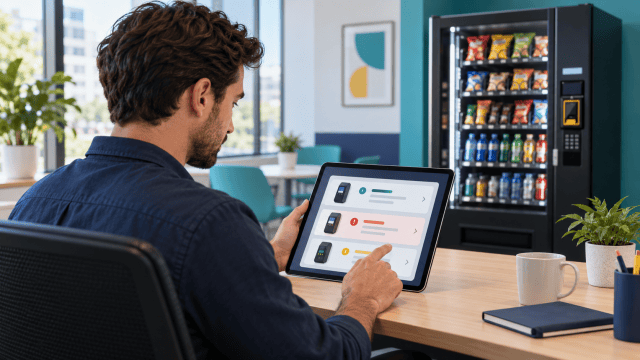
Before driving across town, check the information available through your authorized operator portal. Confirm that you are looking at the correct device and location, and note when the status was last updated.
A stale status is not a live test. If the portal shows a last communication time from yesterday, it tells you when that system last heard from the reader. It does not prove exactly when every customer purchase became unavailable.
Compare other devices on the same account or at the same facility. Several devices failing at similar times may suggest a shared service, network, or power issue. One isolated device may point toward a local problem. These are clues, not a diagnosis by themselves.
Check the provider’s official status information where available. Nayax’s modem troubleshooting guidance specifically directs operators to check for a relevant outage when multiple devices show certain connection errors. Its status page is a place to check current incidents, not a promise that your individual device is healthy.
If a relevant incident is confirmed, follow the provider’s instructions and retain the incident reference. Repeated device changes may not resolve a service-side outage and can make later troubleshooting harder.
For a facility-network connection, ask the authorized IT or facilities contact whether anything changed. A network outage, access change, or maintenance window may explain the timing. Do not substitute an unapproved network or ask an employee to share credentials they are not authorized to provide.
For cellular equipment, a working phone signal beside the machine does not conclusively test the reader’s connection. Devices may use different supported services and hardware. Use the reader’s own diagnostic information and provider guidance.
Check the device’s account and activation status through the appropriate authorized view. This is especially relevant after buying used equipment, transferring a location, or replacing a reader. Do not assume the hardware is correctly assigned merely because it is mounted on the machine.
Plan the next action from what you learn. A known provider incident, a facility power problem, and one reader with a specific error should not automatically trigger the same trip or replacement order.
Keep the location informed with a short factual update. State that you are investigating, what purchasing options have actually been verified, and when you will provide another update. Avoid promising a repair time you cannot support.
3. Perform supported checks at the machine

When an on-site visit is needed, bring the correct manuals, device information, and the notes you have already collected. Confirm access before leaving, especially if the building requires an escort or a service appointment.
Start with a visual check of the machine and reader. Look for obvious damage, an unexpectedly dark display, an open door, or a condition that does not match normal operation. If you see signs of electrical damage or a safety concern, stop and involve the appropriate qualified person.
Check the equipment’s normal customer-ready state using its instructions. A machine can behave differently while its door is open or service menu is active. Do not leave it in a diagnostic state and judge the customer experience from there.
Use the troubleshooting path for the exact message. Some problems involve connectivity; others involve communication between the machine controller and the payment device. The fact that both devices have power does not prove they are communicating correctly.
Cantaloupe’s “Offline by Vendor” guide, for example, addresses configuration and machine-related causes for that specific message. It should not be treated as a universal fix for every Cantaloupe reader or every offline condition. Confirm that the guide applies before changing settings.
If a restart is part of the supported procedure, perform it as directed and allow the equipment to complete its normal startup. Record the time and result. Do not repeatedly interrupt startup because the screen has not changed immediately.
A restart is different from a factory reset. Keep that distinction clear when speaking with a helper or location contact. “Reset it” is ambiguous and can lead to an unintended change.
Only inspect or reseat internal connections when the applicable instructions call for it and you can follow the required power-isolation and service precautions. Do not disconnect live wiring, open protected power areas, or improvise repairs beyond your training.
Keep antenna, cable, and connection changes within the provider’s supported configuration. Moving an antenna or buying a different accessory without checking compatibility can create another fault or make the original one harder to reproduce.
Change one relevant thing at a time and observe the result. A sequence of undocumented settings changes can erase the evidence you need. Save the original setting where the provider’s procedure requires it, and record any instructed change.
Before leaving the cabinet, return the machine to its intended operating state and secure it properly. The final check is a complete customer purchase, not merely a screen that looks more encouraging.
4. Give support a useful incident report

If the supported checks do not resolve the problem, contact the reader provider, machine manufacturer, or service technician appropriate to the symptom. Use official contact channels and the equipment identifiers in your records.
Lead with the facts: which machine and reader, the exact message, when it started, whether other devices are affected, and what changed recently. Include the last communication time if relevant and clearly distinguish it from the last successful vend.
List the steps already attempted and their results. “Restarted once using the guide; message returned after startup” is more useful than “tried everything.” It prevents repeated work and helps support choose the next diagnostic step.
Have a photo of the error, the device serial number, and the applicable machine model ready. Share these privately through the provider’s approved support process. Do not put account credentials or customer payment details into a public forum while asking for help.
If the equipment was recently transferred or replaced, explain that history. An activation or ownership issue may need a different team from a hardware repair. Keep proof of ownership or purchase available if the provider requests it through the proper process.
Ask what result should follow each instructed step and when to stop. If a procedure requires access or skills you do not have, say so. A clear handoff to a qualified technician is better than guessing through a task that can damage equipment.
Record the case number, person or team handling it, recommended action, and next review time. If a replacement is proposed, confirm compatibility, transfer requirements, and the return process before removing the existing device.
Keep a concise message for the location contact separate from the technical report. They usually need to know the service impact and next update, not every configuration value.
A useful update might say: “Card payments on this machine are currently unavailable. We have opened a support case and are checking the reader. We will update you after the next diagnostic step.” Mention cash only if you have verified that cash purchases work and the machine is otherwise appropriate to use.
Do not invent a cause to sound certain. “The provider is still investigating” is more credible than blaming the building’s network without evidence.
5. Verify the entire purchase and reconcile affected transactions

A normal-looking idle screen is a good sign, but it is not the end of the test. Confirm the complete supported purchase process using the provider’s guidance.
Check that the selected product and displayed price match the intended item. Complete an authorized small test purchase, verify dispensing, and confirm the transaction appears as expected in the records available to you. Mark test activity so it does not distort customer demand.
Where multiple payment methods are supported, test the methods relevant to the reported problem rather than assuming success with one proves all of them work. Avoid unnecessary repeated transactions.
Watch the return to the ready state after the vend. A device that completes one purchase but remains stuck afterward has not returned to dependable service.
Review customer reports from the incident period. An authorization, a pending hold, a completed charge, and a failed vend can require different follow-up. Use the provider’s transaction records and refund process rather than guessing from a customer’s description alone.
Ask for only the information needed to investigate, such as approximate time, amount, machine identifier, and an appropriate contact route. Do not request a full card number, security code, account password, or a photo exposing sensitive payment information.
Do not promise that every pending entry will disappear within the same fixed number of hours. Timing depends on the transaction and the financial institutions involved. Give information supported by the provider and the specific case.
Record refunds or adjustments accurately and avoid issuing duplicates because two people handled the same report. Connect the resolution to the incident note so later reconciliation has a clear explanation.
Check the machine again after it has been operating normally for a reasonable interval. A brief successful test followed by another outage suggests the cause may not be fully resolved. Preserve the timing and reopen the support case with the new evidence.
Once verified, tell the location contact what has been restored and how customers should report any remaining issue. Remove temporary notices that are no longer accurate.
For the wider business impact, use our vending profit guide to keep sales, deposits, refunds, and costs distinct. Missing card sales during downtime should not be confused with slow demand for the products themselves.
Close the incident with a short record of the confirmed cause, if known, and the action that restored service. If the cause remains uncertain, say that explicitly and keep a follow-up reminder. Compare repeat incidents by device and location before deciding that a replacement is justified. A pattern tied to one machine, one facility change, or one recurring time window gives support better evidence than a collection of unrelated messages. Keep the location contact updated if monitoring is still underway.
6. Reduce repeat incidents with a short service routine

Keep an equipment record for every machine: model, reader, serial number, operator account, supported connection, manuals, and official support route. Update it when hardware or ownership changes.
At normal service visits, check the reader’s visible condition and customer-ready state. Record recurring errors and inspect for unexpected changes using the provider’s security guidance. Escalate suspected tampering through the appropriate process rather than continuing to accept payments.
After a refill or configuration change, complete the supported operational check. A door left open, a machine left in service mode, or an unrecorded product-price mismatch can turn a routine visit into a customer complaint.
Coordinate facility changes that may affect the machine. Power shutdowns, network changes, and equipment moves deserve advance planning. Our installation checklist helps capture those arrangements before they become assumptions.
Use alerts where your system supports them, but define who checks and responds. An alert nobody reviews does not restore service. Keep remote status and on-site purchase verification as complementary information.
Should I replace the reader immediately? Identify the cause first. A provider outage, account issue, or machine-side condition may not be fixed by new hardware.
Can customers keep trying their cards? Avoid asking for repeated attempts while the cause is unclear. Investigate the failure and use a controlled test after the relevant fix.
Does cash working prove the reader is defective? No. It helps describe the scope, but cashless service depends on additional communication and account conditions. Follow the matching diagnostic path.
What should go in my route notes? The exact symptom, time, affected equipment, steps taken, support case, test result, and follow-up. Keep sensitive information out.
For help organizing service records and follow-up, explore Vending 102: Staying Organized & Running Your Business Like a Pro.
A calm, documented process will not prevent every outage. It will help you respond with the right evidence, avoid unnecessary changes, and know when customers can buy again.


